Physical Address
304 North Cardinal St.
Dorchester Center, MA 02124
Physical Address
304 North Cardinal St.
Dorchester Center, MA 02124
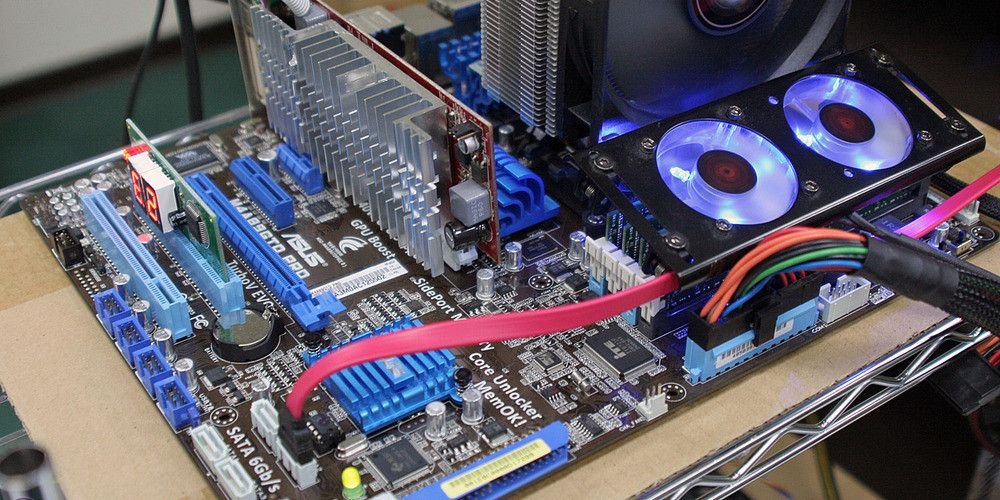
Overclocking vs undervolting is the choice between pushing your CPU faster and making it cooler and quieter — and for most people, undervolting is the smarter first step. Both change the voltage and speed of your chip, but in opposite directions, and they suit different people.
Overclocking raises the speed of your CPU, and usually the voltage too, to get more performance. The gain is 5–10% in most cases, and it costs more heat, more noise and more power. Our overclocking basics guide explains the idea, and our step-by-step overclocking guide shows you how to do it safely. A 14900K with an overclock is faster than a stock one — but it is also hotter, louder and thirstier.
Undervolting lowers the voltage your CPU gets, while keeping the same speed. The chip uses less power, runs cooler and quieter, and often boosts higher for longer because it is not hitting its temperature limit. You lose no performance — in fact, you sometimes gain a little, because a cooler chip can hold its boost speed for longer. It is the closest thing to a free lunch in PC building, and it works on almost every chip, locked or unlocked.
Think of it this way: overclocking chases performance and accepts more heat; undervolting chases efficiency and accepts the same performance. An overclocked Ryzen 7 9700X is a little faster than a stock one; an undervolted one is a little cooler and quieter at the same speed. Our CPU benchmarks explained guide shows how to measure the difference, and our is overclocking worth it guide weighs the gain against the cost of the extra heat and the extra parts.
Undervolting is free, safe and easy. On a Ryzen chip, it is part of Curve Optimizer — see our how to overclock AMD Ryzen CPUs guide, which explains the same setting. On an Intel chip, it is a voltage offset in the BIOS. Lower the voltage in small steps, test, and stop when the PC becomes unstable — then go back one step. A Ryzen 7 9800X3D with a good undervolt runs several degrees cooler in games, which means the fans spin slower and the PC is quieter — a real improvement you can hear. Our best laptop CPU for battery life guide makes the same point for laptops, where heat and power matter even more.
Overclocking is the hobby. It is fun, it teaches you how your PC works, and it gives you a small performance gain — but it needs unlocked parts, good cooling and an afternoon of testing. Our how to overclock your CPU for gaming guide shows when the gain actually matters in games, and when it does not. If you enjoy tinkering, overclocking is rewarding; if you just want a quiet, fast PC, undervolting is the better use of your time.
Yes — and that is often the best result. Undervolt first, so the chip runs cooler, then let it boost higher with PBO or a modest overclock. The cooler chip has more thermal headroom, so the overclock is more stable. Our CPU benchmarks for gaming guide shows how to check whether the combination actually helped, and our how long a desktop CPU lasts guide explains why a cooler chip lasts longer too.
If you want a quieter, cooler PC with the same speed, undervolt — it is free, safe and easy. If you want the fastest possible PC and enjoy tinkering, overclock. And if you want the best of both, do both: undervolt first, then push the speed. Browse our overclocking guides and cooling guides for the next steps.