Physical Address
304 North Cardinal St.
Dorchester Center, MA 02124
Physical Address
304 North Cardinal St.
Dorchester Center, MA 02124
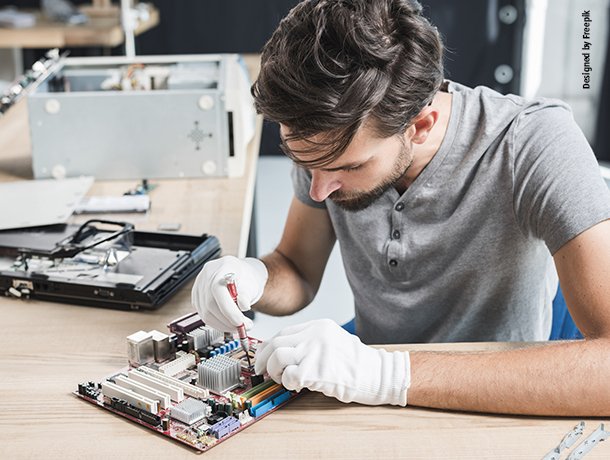
A CPU fan not spinning is a problem you should never ignore, because without the fan the processor overheats in seconds — the good news is that the fix is often a loose cable, a BIOS setting or a bit of dust, and you can usually sort it out without buying anything.
First, power the PC off. A CPU fan not spinning with the PC on is a real risk, so do not let the system run for long without the fan. Open the case and find the fan cable — it should be plugged into the header on the motherboard labelled CPU_FAN. Push it in firmly; it is easy to knock it loose when you are working in the case. Our how to install a CPU guide shows where the header is, and our how to build a PC guide covers the full cable layout. Power the PC on briefly and see if the fan spins.
If the cable is fine, restart and enter the BIOS — usually by pressing Delete or F2 as the PC boots. Look for the fan control page, often called Q-Fan, Smart Fan or Fan Control, and check the CPU fan settings. Some boards have a silent or fan-stop mode that keeps the fan off at low temperatures — that is normal on some boards, and the fan should start when the CPU gets hot. If the mode is set to off or the fan curve is set to 0%, change it to a normal curve. Our how to monitor CPU temperature guide shows you how to watch the temperature while you test, and our AM5 BIOS update guide explains BIOS updates if the settings look wrong.
A fan full of dust can stop spinning, and a cable caught in the blades will stop it too. With the PC off, look at the fan: is there dust packed around the hub? Is a cable touching the blades? Clean the fan with compressed air or a soft brush, and move any cables out of the way. Spin the fan by hand — it should turn freely. If it feels stiff or gritty, the bearing is worn out and the fan needs replacing. Our why is my CPU overheating guide covers what happens when the fan cannot keep up.
To find out whether the fan or the board is at fault, plug the CPU fan into a different fan header on the motherboard — a case fan header will do for a test. If the fan spins there, the CPU_FAN header may be damaged, and you can run the fan from the other header as a workaround. If the fan does not spin on any header, the fan itself is dead. Our CPU not detected guide covers the cases where the board, not the fan, is the problem.
If the fan is dead, you do not need a whole new cooler — on most air coolers the fan clips off and a replacement fan of the same size fits. Match the size, usually 120mm, and the connector, usually 4-pin PWM. If the whole cooler is old, this is a good time to upgrade: our how to choose the right CPU cooler guide and our best CPU cooler for gaming guide can help, and our how to apply thermal paste correctly guide covers the reinstall.
CPU fan not spinning usually comes down to a loose cable, a BIOS fan setting, dust or a worn-out fan. Check the cable and the BIOS first, clean the fan, and test it on another header before you spend money. For more help, browse our troubleshooting tips and our cooling and thermals guides.