Physical Address
304 North Cardinal St.
Dorchester Center, MA 02124
Physical Address
304 North Cardinal St.
Dorchester Center, MA 02124
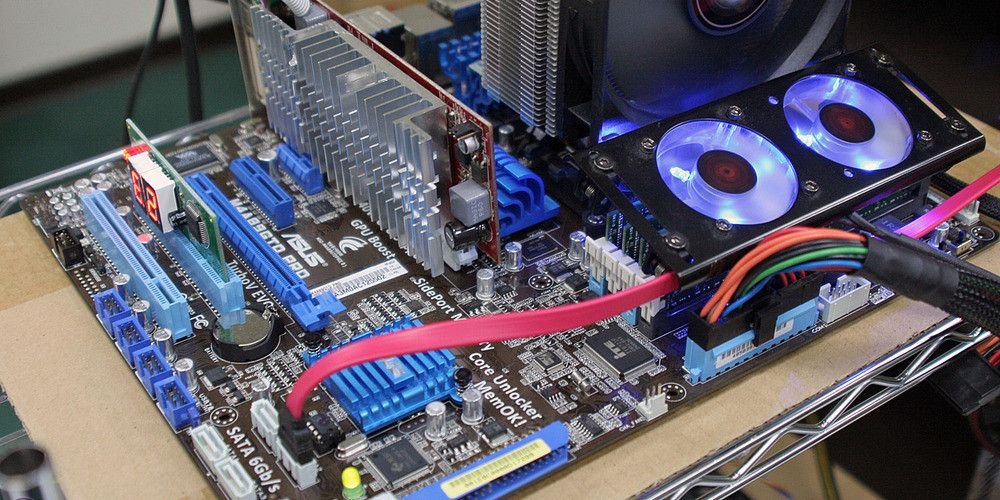
Overclocking basics start with a simple idea: running your CPU a little faster than its factory speed — and yes, it can be safe, as long as you do it carefully and keep an eye on the heat. Done right, it is free performance; done wrong, it is a crash or a very hot chip.
A CPU runs at a clock speed — how many times per second it can do work. An overclock raises that speed, either by raising the multiplier (on an unlocked chip) or by raising the base clock. A small push often gives a small but real gain in games and in heavy work. Our CPU benchmarks explained guide shows how that extra speed shows up in scores, and our 14900K review shows what a fast, power-hungry chip looks like when it is pushed hard.
For most people, a modest overclock is safe. Modern CPUs have built-in protections: they slow down when they get too hot, and they shut down long before they are damaged. The risk comes from high voltage and high temperatures over a long time, and from pushing too far too fast. Keep the voltage close to stock, keep the temperature under control, and test in small steps — and the risk stays low. Our how long a desktop CPU lasts guide explains what actually wears a chip out, and the short answer is heat.
You need an unlocked chip, good cooling, a decent motherboard and patience. On the Intel side that usually means a K-series chip, such as the Core i5-14600K, and a Z-series motherboard; on the AMD side most Ryzen chips are unlocked. Cooling matters more than anything else — a stock cooler is not enough for a serious overclock, so read our cooling guides first. Also, do not expect miracles: most chips have only 5–10% of free headroom, because manufacturers already push them close to their limit.
Go in small steps. Raise the speed a little, run a stress test, and check the temperature. If it is stable and cool, raise it a little more; if it crashes or gets too hot, back off. Our best CPU benchmark software guide lists the stress-test tools to use, and our how to benchmark your CPU guide shows you how to measure the gain. Write down every setting that works, so you can go back to it if a later change causes a crash.
Do not overclock a laptop, a work PC you cannot afford to crash, or a chip that already runs hot. Do not overclock if your cooling is weak, your power supply is borderline, or your motherboard was built for a budget build. And if your PC is used for work you get paid for, stability is worth more than a few percent of speed — our CPU benchmarks for gaming guide shows how small the real-world gain often is. A stock Ryzen 7 7700X is already fast; an overclocked one is only a little faster.
Overclocking is safe when it is modest, tested and cool. Start small, watch the temperature, and stop when the gains get small. If you want more performance without the hassle, a better chip is usually the smarter buy — see our how to choose the right CPU guide and browse our overclocking guides for the next steps.
One last tip: before you change anything, write down your stock settings — or take a photo of the BIOS screen. That way, if an overclock causes a crash, you can put everything back in a minute instead of guessing. Most motherboards also have a clear-CMOS button or jumper that resets the BIOS to defaults, which is your escape hatch if the PC will not boot at all.